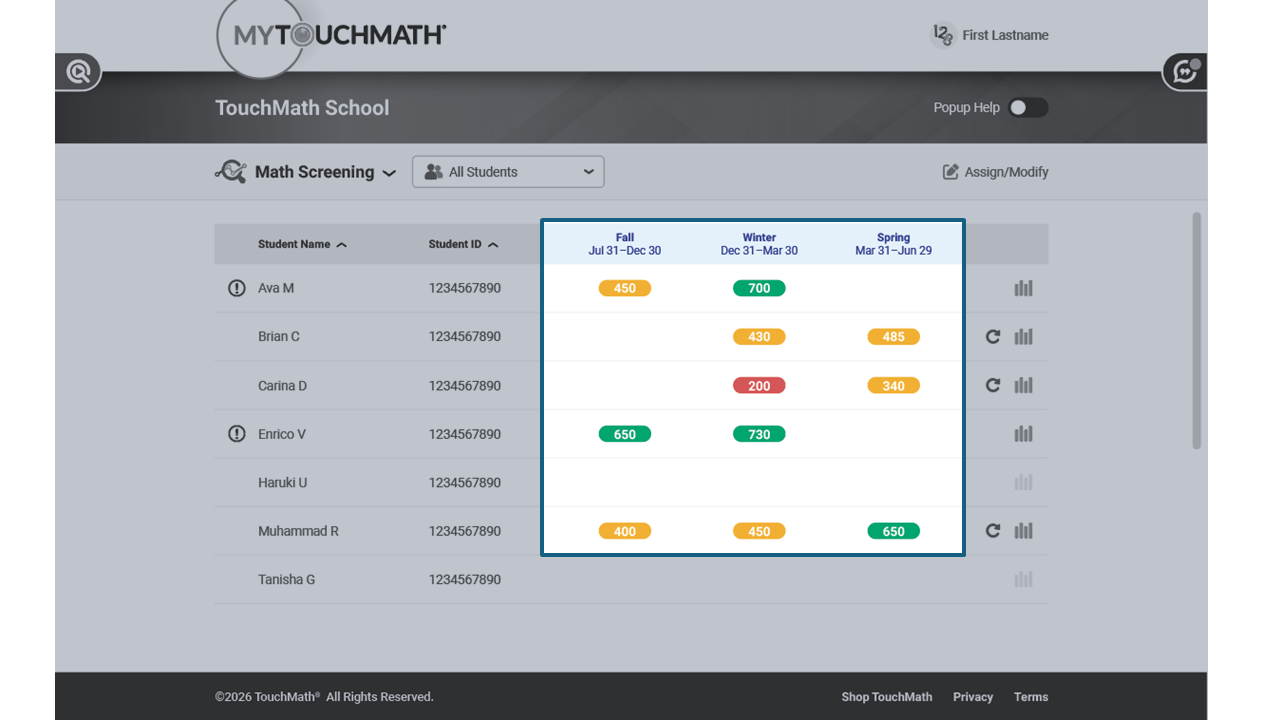
How can I view Math Screener scores from multiple testing windows?
View longitudinal testing data for a student group or roster on the Math Screening screen.
Step-by-Step Guidance
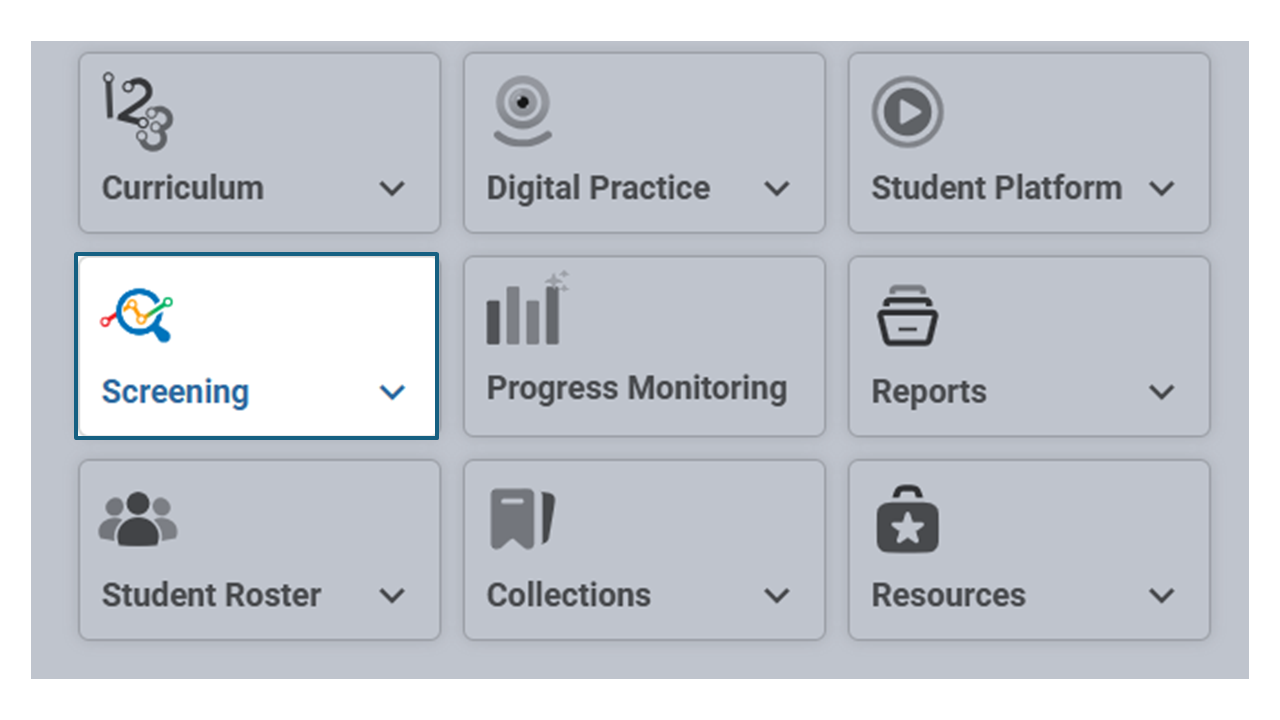
Navigate to the Screening Tile on the dashboard and select Math Screening from the drop down.
Choose which group roster to view
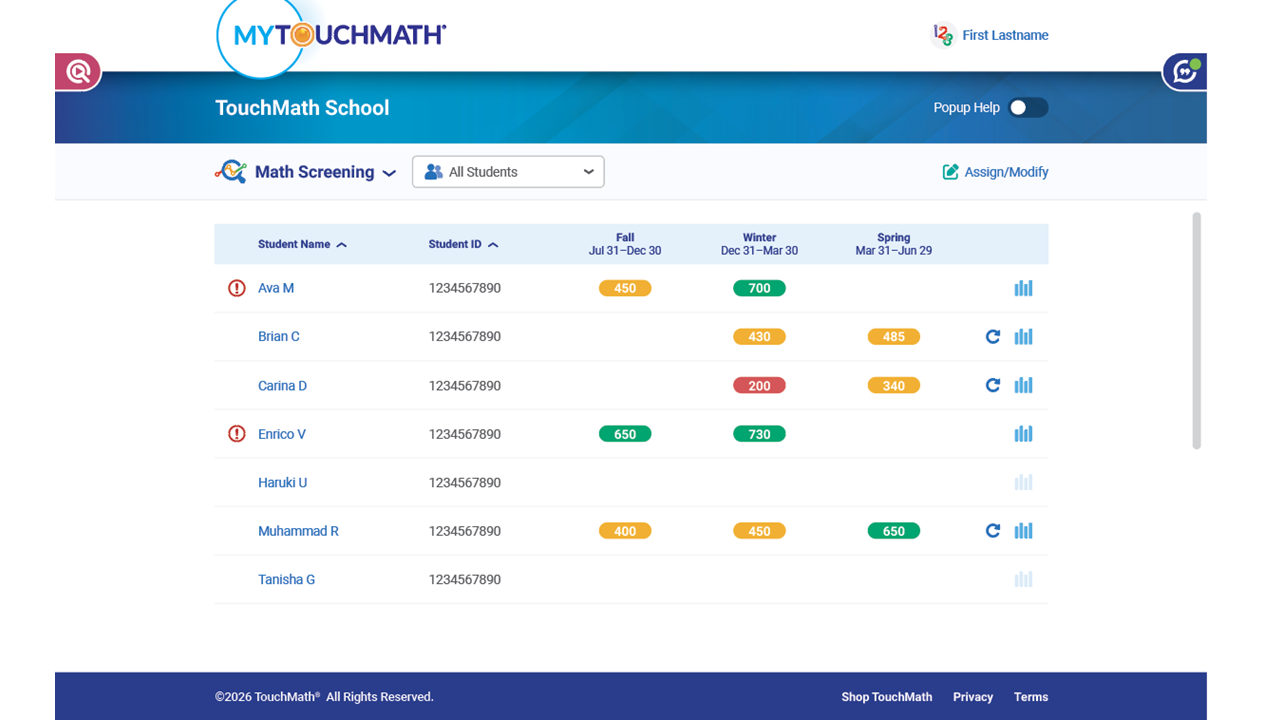
The Testing Windows are shown as three columns in the center of the screen.
Notice the date ranges are also shown for each assessment window.

Each student's overall scale score is shown. Notice that each score is shown within a colored oval. The colors indicate if the student is performing on track, building skills or would benefit from focused support.