
Navigating the Teacher's Guide and Curriculum Sheets
This step-by-step guide walks you through how to access and navigate the TouchMath Curriculum from the MyTouchMath dashboard.
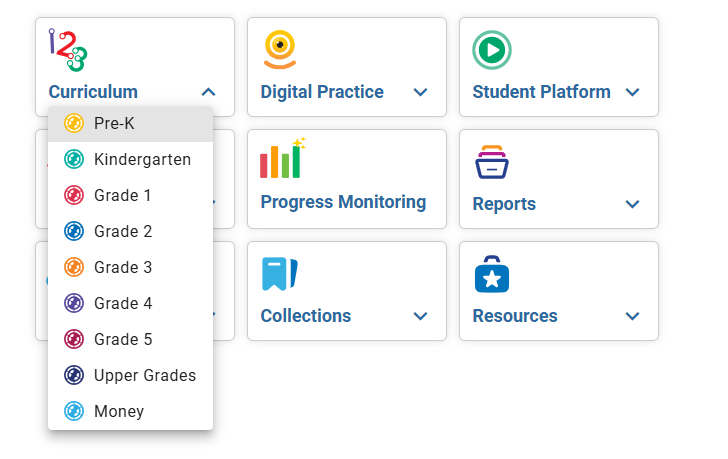
Select the Curriculum you'd like to work with using the dropdown menu
Note: Access to TouchMath Curriculum is dependent on subscription status. Staff are able to view programs for which they have been provisioned a subscription.
Access Teacher's Guide
Use the dropdown menus across the top of the screen to select a specific:
- Unit
- Module
- Cluster

- After making these selections, the Teacher's Guide will update to show the appropriate page
- Use the arrows to navigate to different pages. The example below shows page 44.

Manage Activity Sheets
The activity sheets connected with this lesson can be seen in the right-hand column
- Click the sheet(s) you'd like to print hard copies of or assign to specific students
- Select a language (English or Spanish)

- Activity sheets can be added to Collections

This structure of the Teacher's Guides applies to editions published in 2020 and later.